On this page
To choose a travel adapter, first find out which plug types your destinations use, then check the voltage label on every device you plan to bring. If your devices are dual voltage, a simple plug adapter is enough. If you visit several regions or carry several devices, a universal adapter with built-in USB ports usually makes the most sense.
Travel adapters look simple, but buying the wrong one is a common trip annoyance: a plug that does not fit, a hair tool that overheats, or one outlet shared by four people’s phones. This guide explains plug types, adapters versus converters, the features worth paying attention to and how to match an adapter to your trip.
Key takeaways
- A travel adapter changes the plug shape only. It does not change voltage.
- Check the label on each charger: “100 to 240V” (often printed as 100V~240V) means it works almost anywhere with just an adapter.
- Single-voltage devices, often hair dryers and straighteners, need a converter or a dual-voltage replacement.
- Single-country adapters are small and simple; universal adapters suit multi-country trips.
- USB-C ports with enough output can replace several separate chargers.
- Look for recognized safety markings and avoid adapters that feel loose or flimsy in the socket.
What is the difference between a travel adapter and a converter?
A travel adapter only changes the shape of your plug so it fits a foreign outlet. A voltage converter or transformer changes the electrical voltage, for example from around 230 volts down to the roughly 120 volts used in North America. Most modern electronics need only an adapter, while some heating appliances need a converter.
This is the most important distinction, and it decides what you buy.
| Item | What it does | When you need it |
|---|---|---|
| Plug adapter | Changes plug shape | Dual-voltage devices such as most phone and laptop chargers |
| Voltage converter | Changes voltage | Single-voltage devices that cannot handle local voltage |
| Adapter with USB ports | Changes plug shape and charges USB devices | Phones, tablets, earbuds and other USB gear |
Many travelers buy a converter they never needed. Others plug a single-voltage hair dryer into an adapter and damage it. Reading device labels before the trip prevents both mistakes.
Tip: Plug in a heating appliance only if its label clearly covers the local voltage. When in doubt, leave it at home and use what your hotel provides.
How do you check if your device works abroad?
Check whether a device works abroad by reading the input rating printed on its charger or power brick. Look for the word “Input” followed by a voltage range. A range such as 100 to 240 volts means the device is dual voltage and needs only a plug adapter. A single number, such as 120V, means it is single voltage.
Follow these steps for each device:
- Find the label on the charger, power brick or appliance base. It is often in small gray text.
- Read the “Input” line, not the “Output” line.
- Note the voltage range and the frequency, usually shown in hertz.
- If the range covers your destination’s voltage, you only need an adapter.
- If it does not, plan for a converter, a dual-voltage version or leaving the item at home.
Most phone chargers, laptop power supplies, camera battery chargers and tablet chargers are dual voltage. Hair dryers, curling irons, straighteners, electric kettles and some electric toothbrush chargers are more likely to be single voltage, though many travel versions are built for both.
What about devices with a voltage switch?
Some appliances have a small manual switch for voltage. If yours does, set it to match your destination before plugging in. Forgetting to flip the switch is a common way to damage a dual-voltage hair tool.
What plug types are used around the world?
Plug types around the world are named by letters, such as Type A and B in North America, Type C and F across much of Europe, Type G in the UK and Ireland, and Type I in Australia and New Zealand. Some countries use several types, so check each destination rather than relying on a region.
The International Electrotechnical Commission keeps a reference of plug types by country. Here is a summary of common destinations for English-speaking travelers. Always double-check before you go, since some countries use more than one type and older buildings may have different outlets.
| Country or region | Common plug types | Typical voltage |
|---|---|---|
| United States and Canada | A, B | About 120V |
| Mexico | A, B | About 127V |
| United Kingdom and Ireland | G | About 230V |
| Germany, Spain, Netherlands | C, F | About 230V |
| France and Belgium | C, E | About 230V |
| Italy | C, F, L | About 230V |
| Switzerland | C, J | About 230V |
| Australia and New Zealand | I | About 230V |
| Japan | A, B | About 100V |
| India | C, D, M | About 230V |
Type C, the slim two-pin Europlug, fits many outlets across Europe and beyond, though it does not fit UK, North American or Australian outlets. That is why a Type C adapter is often the first one North American travelers buy for Europe.
A quick note for UK, Canada and Australia readers
UK travelers heading to the US or Europe need adapters that accept a Type G plug. Canadian travelers use the same plugs as the US. Australian and New Zealand travelers need adapters that accept Type I plugs. In each case, the rules about voltage are the same: check the device label first.
Should you buy a universal or a single-country adapter?
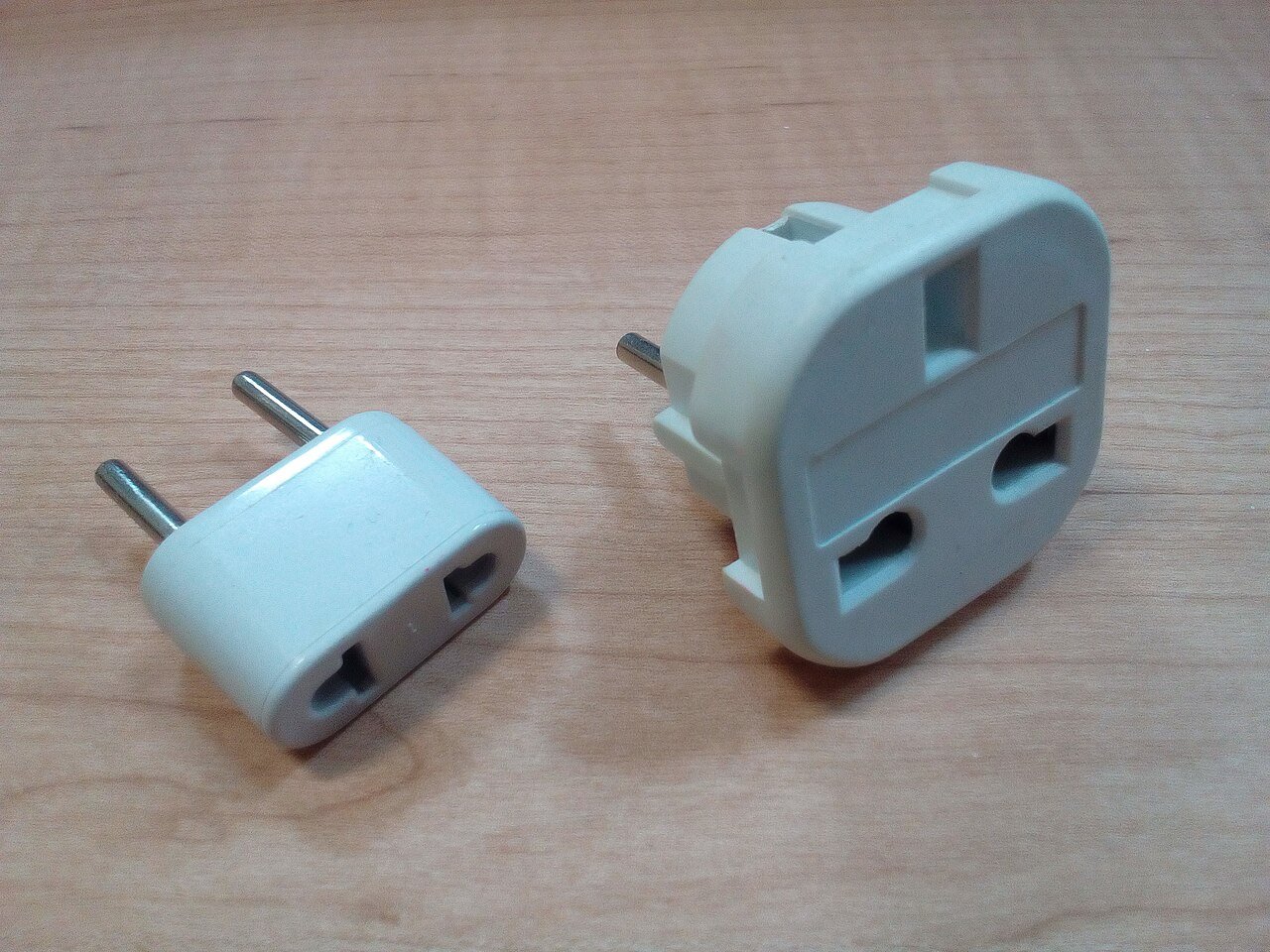
A single-country adapter is the better choice for one destination because it is small, light and usually fits snugly. A universal adapter makes more sense if you visit several regions, travel often or share a bag with family. The trade-off is size: universal models are bulkier and sliding parts can feel less solid.
| Feature | Single-country adapter | Universal adapter |
|---|---|---|
| Coverage | One plug type | Several plug types |
| Size | Small and light | Larger and heavier |
| Fit in outlets | Usually snug | Can be loose in some sockets |
| Best for | One-country trips | Multi-country or frequent travel |
| Common extras | Sometimes one USB port | Often several USB ports |
A practical approach for many travelers is to keep one universal adapter as a backup and buy a small single-country adapter for the main destination. That way, you have a spare if one gets left in a hotel outlet.
Tip: Universal adapters with sliding prongs can be heavy and fall out of wall outlets. If your trip is mostly in one country, a simple fixed adapter often works better day to day.
What features matter most in a travel adapter?
The features that matter most in a travel adapter are the plug types it covers, the number and type of USB ports, total charging output, safety markings, size and how firmly it sits in the outlet. Grounding and a built-in fuse also matter if you plan to plug in a laptop or other three-prong device.
Plug coverage
Make a list of every country on your route and confirm the adapter covers each plug type. Some universal adapters skip less common types, such as the Swiss Type J or Italian Type L.
USB ports and output
Built-in USB ports let you charge a phone, watch and earbuds without separate wall chargers. Look at the stated output on the packaging or listing. Charging a laptop by USB-C usually needs much more power than a phone, so check that the adapter’s USB-C output matches what your laptop needs. If the total output is shared across all ports, charging several devices at once may be slower.
Grounding and three-prong plugs
Some adapters accept only two-prong plugs. If you carry a laptop charger with a ground pin or a three-prong cord, make sure the adapter supports grounded plugs on both sides.
Safety markings
Look for recognized safety certification markings for your home country, such as UL or ETL listings in North America, UKCA or CE markings in the UK and Europe, or the RCM mark in Australia and New Zealand. A built-in fuse is common on good universal adapters and helps protect against overloads.
Size, weight and build
A cheap adapter that wobbles in the socket can overheat or lose contact. Choose one that feels solid and has clear markings for its maximum load.
How many adapters do you need for a trip?
The number of adapters you need depends on how many devices must charge at the same time. A solo traveler with a phone and earbuds may need one adapter with USB ports. A couple or family usually needs two or three, or one adapter combined with a small multi-port charger or power strip rated for travel.
Think about your evening routine. If everyone charges a phone, a watch and a camera battery overnight, count the plugs and ports you need at once.
Ways to cut down on adapters:
- Use a multi-port USB charger and plug it into one adapter.
- Carry a compact travel power strip, checking that it is rated for the local voltage.
- Charge some items during the day on a power bank.
- Use cables with the right connectors so devices can share a charger.
Our guide to travel tech essentials: chargers, adapters and power banks covers how these pieces work together as a kit.
Can you use a travel adapter on a plane or cruise ship?
Travel adapters are generally allowed in both carry-on and checked bags because they contain no battery. Many aircraft have seat power outlets or USB ports, but the outlet type varies by airline and aircraft. Cruise ships often have North American and European outlets in cabins, but rules on extra power strips differ, so check with your cruise line.
On flights, seat outlets may provide limited power and can switch off during parts of the flight. If you depend on charging during a long trip, pack a power bank as backup. Our list of long-haul flight essentials covers what to keep within reach.
Keep your adapter in an easy-to-reach pocket of your carry-on. Our guide on how to choose carry-on luggage explains which compartment layouts make small tech items easy to find.
What are common travel adapter mistakes?
Common travel adapter mistakes include assuming an adapter converts voltage, using single-voltage hair tools abroad, buying a universal adapter that skips a needed plug type, overloading one adapter with power strips and leaving the adapter plugged in at the hotel. Most are avoided by checking labels and packing a simple backup.
Other mistakes to watch for:
- Ignoring the maximum load: adapters and power strips have limits. Heating appliances can exceed them.
- Buying at the airport: prices can be higher and choice is limited. Buy before you go.
- Forgetting grounded plugs: a two-prong adapter will not take a three-prong laptop cord.
- Not checking the whole route: a layover or side trip may use different outlets.
- Using a damaged adapter: stop using any adapter that is cracked, scorched or gets hot.
If an adapter or device sparks, smells of burning or becomes hot, unplug it at the wall if it is safe to do so and stop using it. Keep your travel kit simple, and add a few basics from our travel first aid kit checklist for minor burns and cuts.
How do you choose the right travel adapter for your trip?
Choose the right travel adapter by listing your destinations, checking their plug types, reading the input rating on each device, and counting how many devices charge at the same time. Then pick a single-country or universal adapter with enough USB ports, recognized safety markings and a solid fit in the outlet.
Use this quick decision checklist:
- Write down every country on your route, including layovers you might leave the airport for.
- Look up the plug types and voltage for each one.
- Check every device label for its input voltage range.
- Leave single-voltage heating tools at home or plan for dual-voltage versions.
- Count the devices you charge overnight.
- Choose single-country adapters for one destination, or a universal one for several.
- Check USB output if you plan to charge a laptop by USB-C.
- Pack a spare adapter if you rely on devices for work or navigation.
Once your adapter is sorted, round out your packing with our travel essentials checklist so nothing else important gets left behind.
Frequently asked questions
Do I need a converter or just an adapter?
Most travelers need only an adapter. Check the input rating on each charger: if it lists a range such as 100 to 240 volts, the device handles foreign voltage and just needs the right plug shape. Single-voltage items, often hair dryers and straighteners, need a converter or a dual-voltage replacement.
Is a universal travel adapter worth it?
A universal adapter is worth it if you visit several countries, travel often or want one backup that works almost everywhere. For a single destination, a small single-country adapter is lighter and usually fits more firmly. Many travelers carry one of each, using the universal model as a spare.
Can I charge a laptop with a travel adapter?
Yes, most laptop chargers are dual voltage and work with a plug adapter. Check the input rating on the power brick first. If your laptop charges by USB-C, you can also use an adapter with a USB-C port, as long as its stated output meets what your laptop needs.
Which plug type do I need for Europe?
Much of continental Europe uses Type C and Type F outlets, and a Type C adapter fits many of them. France and Belgium also use Type E, Italy uses Type L, and Switzerland uses Type J. The UK and Ireland use Type G. Check each country on your route before you buy.
Are cheap travel adapters safe?
Some are, but quality varies a lot. Look for recognized safety markings for your region, a clearly stated maximum load and a solid build that sits firmly in the socket. Avoid adapters that wobble, feel hot during use or show scorch marks, and stop using any that are damaged.
Sources and further reading
Featured photo: Fructibus via Openverse (CC0).