On this page
The travel tech essentials for most trips are a compact multi-port charger, the right plug adapter for your destination, a power bank sized within airline limits, two or three good cables and headphones. Add offline maps and downloads before you leave. Check that your chargers accept your destination’s voltage, and you will rarely run out of power.
This checklist explains each item, how to choose it, and the rules that trip travelers up, such as power bank limits on flights and the difference between an adapter and a converter. It focuses on buying criteria and practical habits rather than specific products, so it works with whatever devices you own.
Key takeaways
- A plug adapter changes the plug shape, but it does not change voltage. Check that your chargers are rated for your destination.
- One multi-port USB charger can replace several single chargers and reduces the adapters you need.
- Power banks travel in carry-on bags only, and capacity limits apply on flights.
- Pack two or three good cables, and keep one in your personal item.
- Download maps, entertainment and key documents before you leave, so you are not relying on Wi-Fi.
What tech should you pack for travel?
For most trips, pack your phone, a multi-port charger, a plug adapter, a power bank, charging cables, headphones and any work devices such as a laptop or tablet. Add an e-reader or camera if you use them. The goal is a small, reliable kit that keeps essential devices charged without filling your bag with chargers.
| Item | Why you need it | What to check |
|---|---|---|
| Plug adapter | Fits your plugs into local sockets | Correct plug type for each country |
| Multi-port charger | Charges several devices at once | Total wattage and number of ports |
| Power bank | Keeps devices running away from outlets | Watt-hour rating and airline rules |
| Cables | Connect devices to chargers | Right connectors and length |
| Headphones | Flights, trains and quiet time | Wired backup for seat-back screens |
| Laptop or tablet charger | Work and entertainment | Wattage and voltage range |
| Offline content | Maps, shows and documents | Downloaded before departure |
Our travel essentials checklist covers the rest of your packing, from documents to toiletries.
What is the difference between a plug adapter and a voltage converter?
A plug adapter only changes the shape of your plug so it fits a foreign socket. It does not change the electricity. A voltage converter or transformer changes the voltage. Most phone, tablet and laptop chargers accept a wide voltage range and need only an adapter, but some appliances, such as hair tools, may need a converter.
How do you check if your device is dual voltage?
Look at the small print on the charger or power brick. If it says something like “Input: 100 to 240V, 50/60Hz,” it works on most of the world’s electricity with only a plug adapter. If it lists only one voltage, such as 120V, it may be damaged on a 230V supply without a converter. When in doubt, check the manufacturer’s information.
Voltage and plug types by region
| Region | Typical voltage | Common plug types |
|---|---|---|
| United States and Canada | 120V | Types A and B |
| United Kingdom and Ireland | 230V | Type G |
| Most of continental Europe | 230V | Types C, E and F |
| Australia and New Zealand | 230V | Type I |
| Japan | 100V | Types A and B |
These are general patterns, and some countries use more than one plug type. Check the specific country before you buy an adapter. UK, Australian and European travelers heading to North America should remember that 120V is lower than at home, which matters mostly for single-voltage appliances.
Tip: Many hair dryers and straighteners are single voltage. Consider buying a dual voltage travel model or using the one provided by your accommodation rather than carrying a heavy converter.
How do you choose a travel adapter?
Choose a travel adapter based on the countries you visit, the number of devices you charge and how much space you have. A single-country adapter is small and cheap. A universal adapter covers many plug types in one unit. Many universal models include USB ports, which can replace a separate charger for phones and small devices.
What to look for:
- Plug coverage: check that it includes every plug type on your route.
- Built-in USB ports: handy, but check their total output if you charge a laptop.
- Grounding: some adapters do not support grounded three-pin plugs, which some laptops use.
- Fit: bulky adapters can fall out of loose or recessed wall sockets.
- Safety markings: look for recognized safety certification marks and avoid unbranded, very cheap units.
Bring at least one spare adapter on longer trips. Adapters are easy to leave plugged into hotel walls.
How do you choose a travel charger?
Choose a travel charger by adding up what you need to charge each night and matching its ports and wattage to those devices. A compact multi-port USB charger with USB-C Power Delivery can charge a phone, tablet and many laptops from one wall socket. Chargers using gallium nitride (GaN) components are often smaller for the same power.
- List every device you will charge regularly.
- Note each device’s charging connector, such as USB-C.
- Check your laptop’s charger wattage if you plan to charge it from the same unit.
- Choose a charger with enough ports and enough total wattage to share between devices.
- Confirm the charger’s input is 100 to 240V so it works in most countries.
- Pair it with a single plug adapter for your destination.
Remember that total wattage is often shared between ports. A charger with a high headline figure may deliver less to each device when several are plugged in.
How do you choose a power bank for travel?
Choose a power bank for travel by balancing capacity, weight and airline rules. Capacity is usually listed in milliamp-hours (mAh), but airlines use watt-hours (Wh). Many travelers find a mid-sized power bank enough for a day of navigation and photos. Make sure it supports fast charging for your devices and has the ports you need.
Power bank rules on flights
Power banks contain lithium batteries, so they generally must go in carry-on bags, not checked luggage. In the United States, FAA guidance allows spare lithium batteries up to 100 Wh in carry-on bags, while batteries between 100 and 160 Wh need airline approval and larger ones are generally not allowed. Some airlines also restrict using power banks during flights. Check faa.gov and your airline’s policy before you fly.
How to work out watt-hours
If the Wh rating is not printed, you can estimate it: multiply the mAh rating by the battery voltage (often 3.6 or 3.7V) and divide by 1,000. For example, a 10,000 mAh bank at 3.7V is about 37 Wh, and a 20,000 mAh bank is about 74 Wh. Real usable capacity is lower than the label because some energy is lost in conversion.
| Rated capacity | Approximate Wh at 3.7V | Typical use |
|---|---|---|
| 5,000 mAh | About 19 Wh | A partial phone top-up, very light |
| 10,000 mAh | About 37 Wh | A day of phone use for many travelers |
| 20,000 mAh | About 74 Wh | Several phone charges or a tablet |
| 26,800 mAh | About 99 Wh | Near the usual 100 Wh carry-on limit |
Which cables and accessories should you bring?
Bring cables for every device you will charge, plus one spare for your most important device, usually your phone. A mix of short and long cables helps, since outlets in hotels and on planes are often far from beds and seats. Small accessories such as a cable organizer and a wired headphone adapter make the kit easier to use.
Cable and accessory checklist
- USB-C cables, including one that supports laptop charging if needed
- Any older connector cables your devices still use
- A spare phone cable in your personal item
- A longer cable for awkwardly placed outlets
- Wired headphones or an adapter for seat-back screens
- Small pouch or organizer to keep everything together
- Memory card and reader if you use a camera
Should you bring a power strip?
A small travel power strip lets you charge several devices from one adapter. Check that it is rated for your destination’s voltage and avoid using surge protectors with plug adapters in countries with different electrical systems unless the product is designed for it. Many cruise lines restrict surge protectors on board, so check rules before packing one.
How do you prepare your devices before you travel?
Prepare your devices before travel by updating software, backing up photos, downloading offline maps and entertainment, saving key documents offline and turning on device-finding features. Check your phone plan’s roaming options or consider a local or eSIM data plan. These steps save time, data and stress once you arrive.
- Update your phone, tablet and laptop software.
- Back up photos and important files.
- Download offline maps for each destination.
- Save boarding passes, bookings and insurance documents offline.
- Download shows, music, podcasts and books.
- Turn on find-my-device features and note how to use them.
- Check roaming charges or set up a travel data plan.
- Charge everything, including the power bank, the night before.
If you are taking a long flight, our list of long-haul flight essentials covers what to keep at your seat, including tech items.
How do you keep your devices and data safe while traveling?
Keep your devices and data safe while traveling by using a passcode, turning on device tracking, avoiding unknown public USB charging ports and being careful on public Wi-Fi. Keep phones and laptops in your carry-on, never in checked luggage, and carry a spare charging method in case you lose a cable or charger.
- Public USB ports: US agencies including the FCC have warned about risks from public charging stations. Use your own charger and a wall outlet, or your power bank, when possible.
- Public Wi-Fi: avoid banking or sensitive logins on open networks.
- Physical security: keep valuable tech in your personal item and use a hidden pocket for your phone in crowded places.
- Insurance: check whether your travel insurance covers electronics and what proof it requires.
Pack devices so they are easy to remove at security checks. Our guide on how to choose carry-on luggage explains features such as quick-access laptop compartments. For health items, see our travel first aid kit checklist.
What are common travel tech mistakes?
The most common travel tech mistakes are confusing adapters with converters, packing power banks in checked luggage, bringing too many chargers, forgetting the right plug type and relying on Wi-Fi for maps and entertainment. Many travelers also leave adapters plugged into hotel walls. Each mistake is easy to avoid with a short checklist.
- Using single-voltage appliances abroad. Check the label before plugging in.
- Bringing a separate charger for every device. A multi-port charger saves weight and space.
- Forgetting a cable in your personal item. Checked bags and overhead bins are out of reach in flight.
- Buying a power bank too large for flights. Check the Wh rating before you buy.
- Not charging the power bank. A flat power bank is just extra weight.
Next step: add these items to your full packing list with our travel essentials checklist.
Frequently asked questions
Do I need a voltage converter or just an adapter?
Most phone, tablet and laptop chargers are dual voltage and need only a plug adapter. Check the label for an input range such as 100 to 240V. Single-voltage appliances, often hair tools, may need a converter or a dual voltage travel version. Using a single-voltage device on higher voltage can damage it.
Can I put a power bank in checked luggage?
No, power banks generally must travel in carry-on bags, not checked luggage, because lithium batteries can pose a fire risk in the hold. In the US, FAA guidance allows spare batteries up to 100 Wh in carry-ons, with larger sizes needing airline approval. Check your airline’s rules before flying.
What size power bank is allowed on a plane?
Many airlines follow limits where power banks up to 100 Wh are allowed in carry-on bags without approval, and those between 100 and 160 Wh need airline approval. Larger batteries are usually not allowed. Some airlines limit the number of power banks or their use during the flight, so always check your airline.
Is a universal adapter worth buying?
A universal adapter is worth buying if you visit several countries or travel often, because it covers many plug types in one unit. Many include USB ports. For a single destination, a simple country-specific adapter is smaller and cheaper. Check plug coverage, grounding support and safety markings before buying either.
Sources and further reading
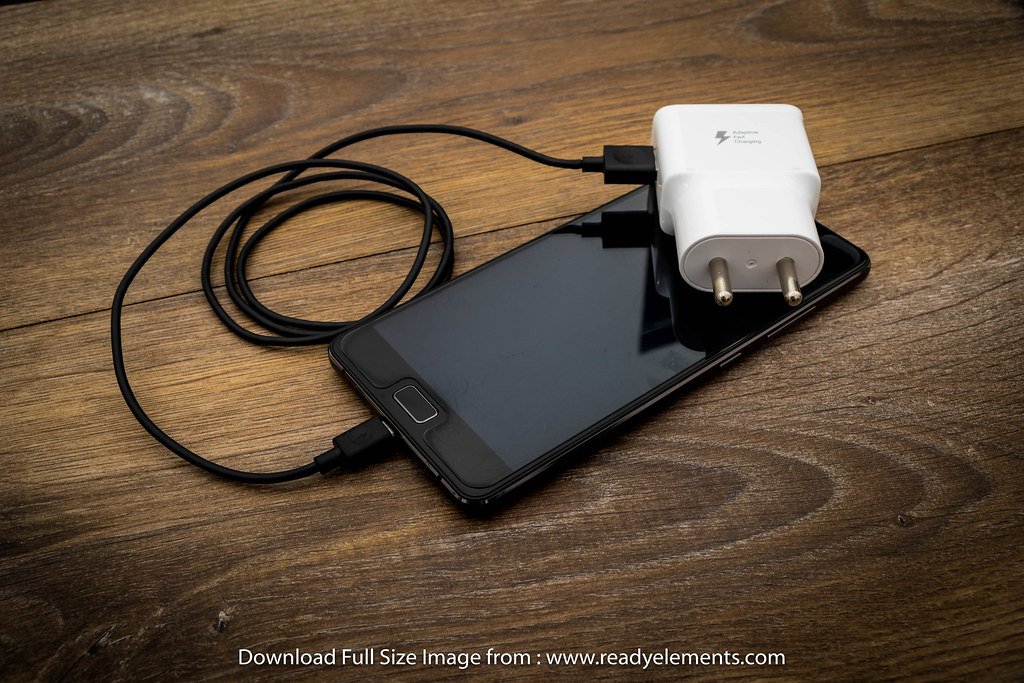
Featured photo: www.readyelements.com via Openverse (CC0).